Keep every tile. Sink them all.
The number of tiles stays the same in this mode. Sink every tile to clear the puzzle.
This example uses three tiles in a row. Pressing tile 1 flips tile 2; pressing tile 3 flips tile 2 again.
TWO RULES · 100 PUZZLES EACH
Press a floating tile and its edge-sharing neighbors react.
Watch the board change and think about your next move.
Try a small sample of both rules without installing the app.
PRESS · FLIP · CLEAR
SAME PRESS, DIFFERENT RULES
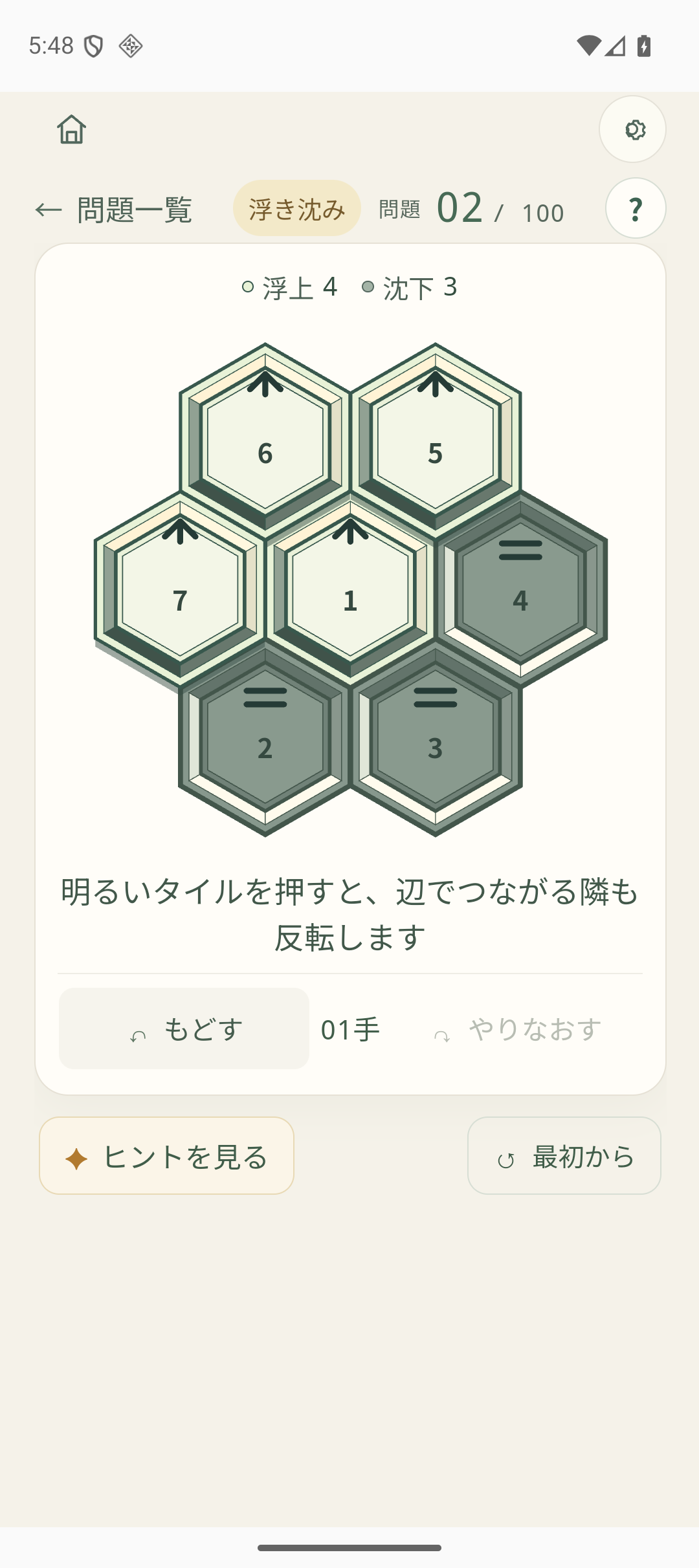
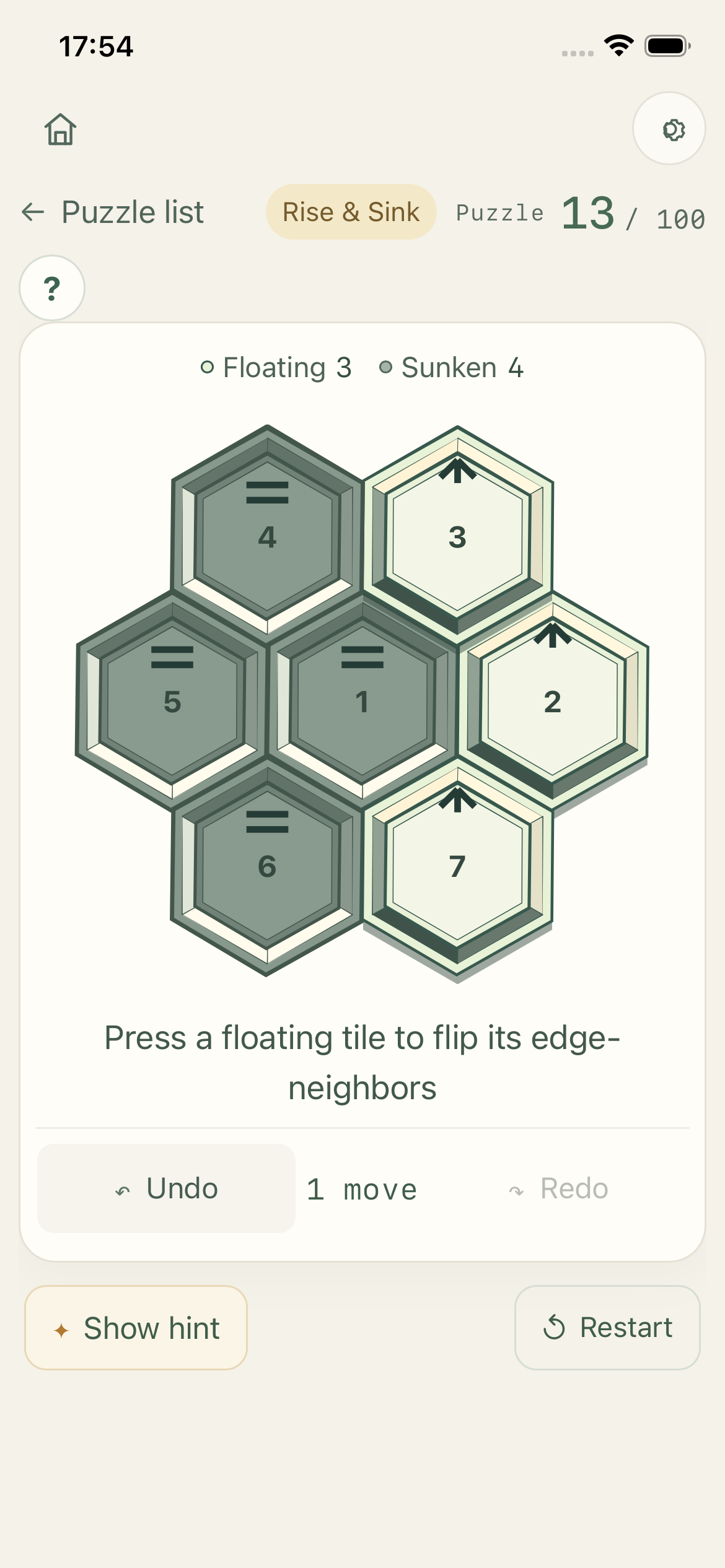
Only a floating tile can be pressed. It sinks, and tiles that share an edge with it flip state. Tiles that touch only at a corner do not react.
The number of tiles stays the same in this mode. Sink every tile to clear the puzzle.
This example uses three tiles in a row. Pressing tile 1 flips tile 2; pressing tile 3 flips tile 2 again.
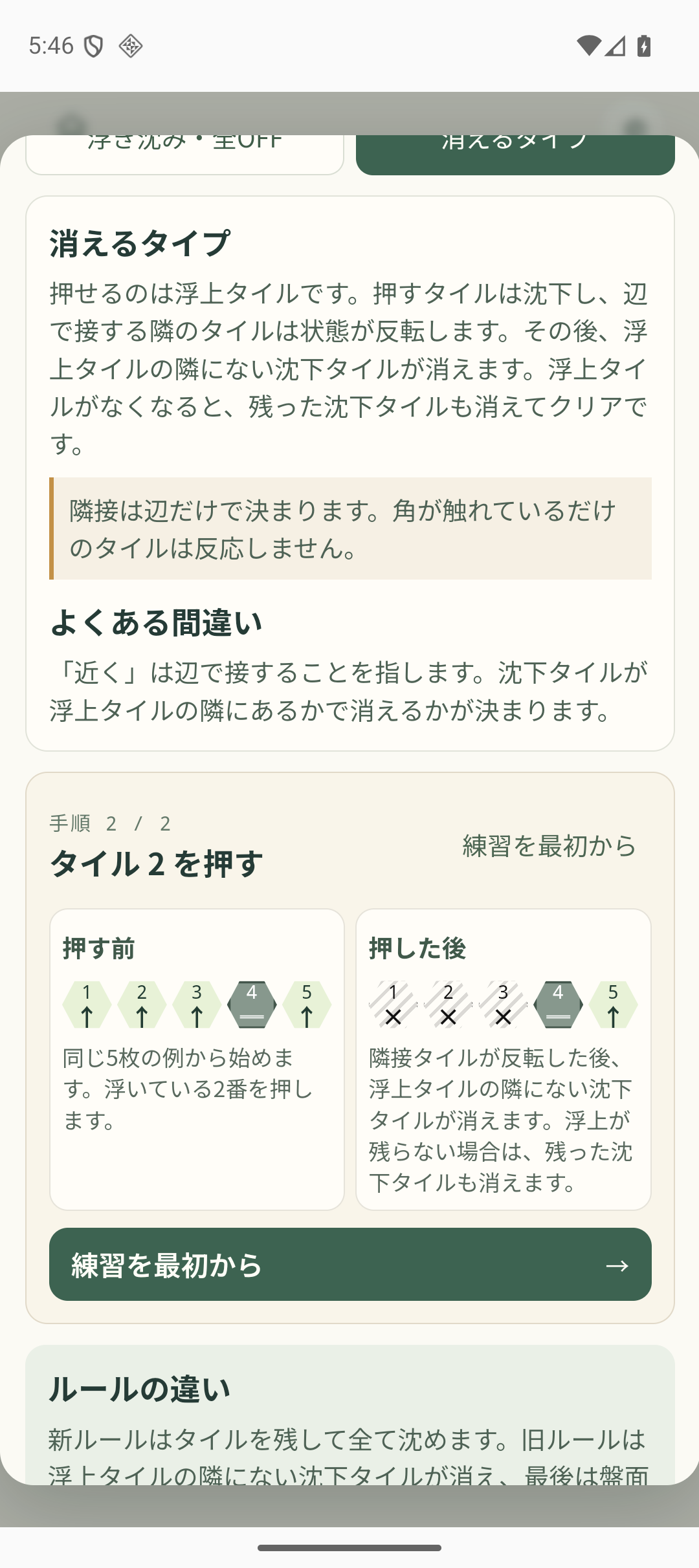
After neighbors flip, any sunken tile with no floating neighbor along an edge disappears. When no floating tile remains, all remaining sunken tiles disappear and the puzzle clears.
After the final press, all three tiles are sunken. With no floating tiles left, they all disappear.
REAL APP SCREENS
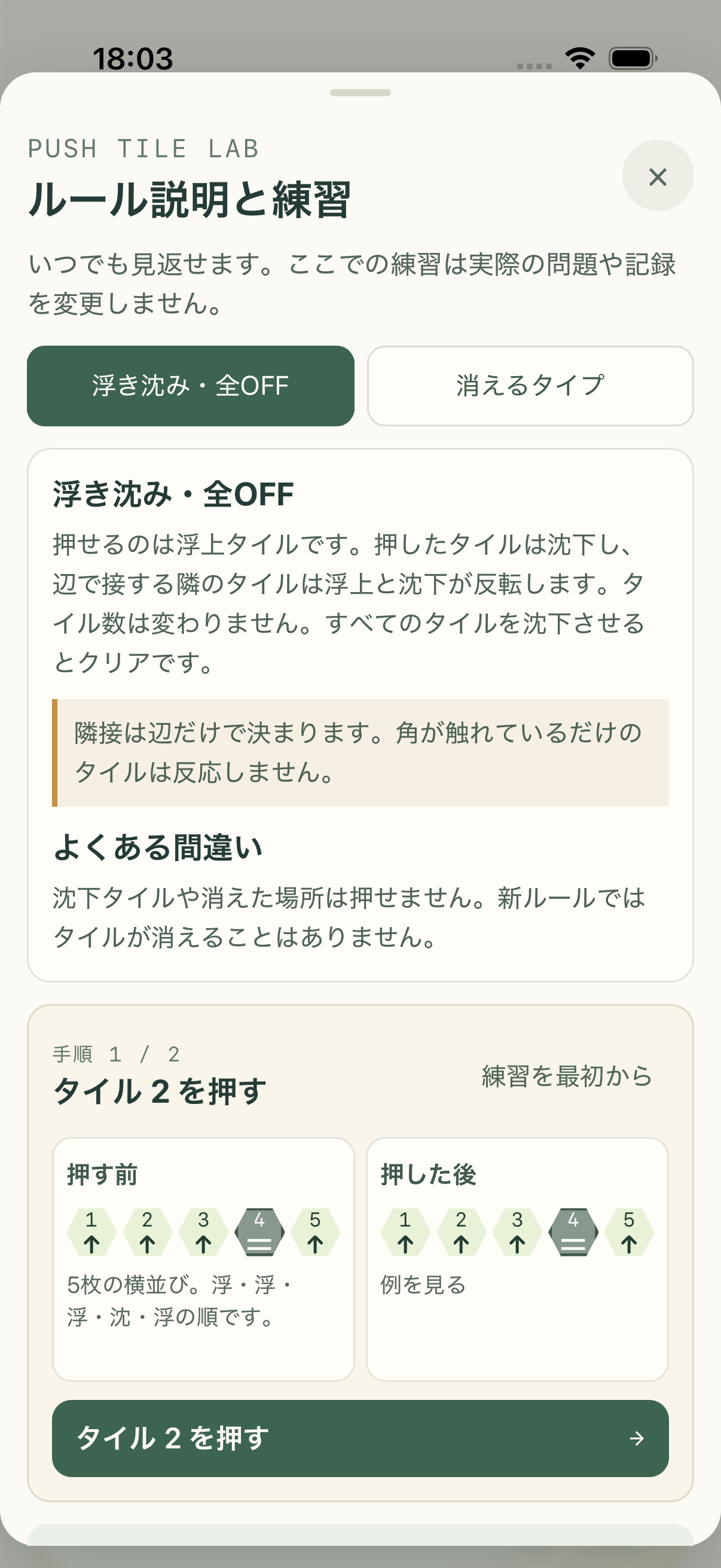
These are verified screenshots of the iPhone and Android apps. Each caption identifies the language shown inside the screenshot.


YOUR FIRST PUZZLE
If this is your first time, use the short guided practice to see how floating, sunken, and neighboring tiles work. Practice does not affect your puzzles or records.
TOOLS FOR THINKING IT THROUGH
Here is what each helper does during a puzzle.
The app searches from the current board and, if it finds a route, suggests the next tile to press. If the search reaches its limit, that does not prove the puzzle is unsolvable.
Step back through your moves, then step forward again. You can try another move from the restored board.
Restart immediately returns the current board to its initial layout without a confirmation dialog. It does not delete the puzzle's completion record. Deleting that record is a separate action.
Each rule has 100 puzzles, shown in groups of ten. From the home screen, resume a saved puzzle, start the next unsolved puzzle, or choose one from the list.
Progress is tracked separately for each rule. Each puzzle's record shows whether you have completed it, the completion date, your latest and best move counts, and how many times you have completed it.
Revisit either rule at any time. Separate practice examples compare the board before and after a move; they never change your puzzle progress or records.
DISPLAY AND ACCESSIBILITY
Settings are saved on your device. State is not conveyed by color alone: symbols also distinguish floating and sunken tiles, as well as tiles that have disappeared.
Display choices do not change the puzzle rules.
PROGRESS AND BACKUPS
Puzzle progress, play records, and display settings are stored on the device. There is no automatic cross-device sync.
You can export a backup and import it on another device. Importing replaces that device's progress and display settings. The app saves a recovery copy of the current data before replacing it.
A backup contains progress and settings. Choose where you store or share it, and do not post it publicly.
AVAILABILITY
This site does not list verified public App Store or Google Play URLs. Price and release date are not confirmed here. Store links will be added after the public listings and URLs are verified.
The current development build is configured with Google AdMob test IDs. This does not mean production ads are currently being served. This page does not confirm the configuration of live ads or in-app purchases, or the app's public release status.